Document Sharing for Your Team
Get important documents to your whole team — or to one employee privately.
Start Your Free Trial14-day free trial · Cancel anytime · No charge during your trial.
Everything your team needs, in one place
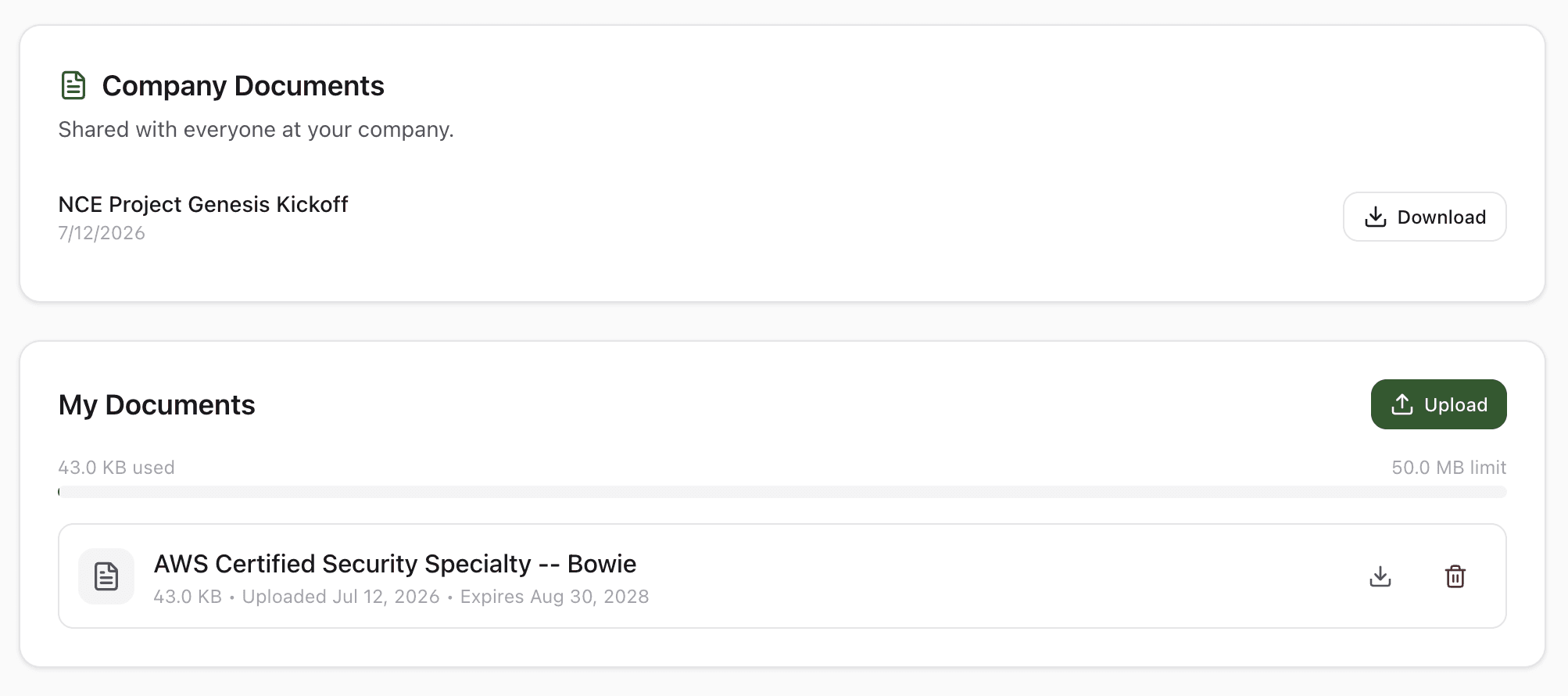
Company-wide documents and private files, together on every employee profile.
Why teams love Document Sharing
Company-wide in one post
Owners and admins upload a document once and it appears for every employee automatically. No email blast, no shared drive, no chasing down who has the latest version.
Private files, per employee
Owners and admins keep personal records on each employee's record — offer letters, certifications, pay stubs. Each file is visible only to that employee and your company's owners and admins.
Notifications so it gets seen
Every new company document sends an in-app notification, so it does not get buried. Add an email notification per post when something cannot wait.
Right where they already work
Employees find their documents on the same profile page they use to clock in and check their hours. Nothing to download, no separate portal to log into.
How it works
StampShift puts document sharing where your team already works. Owners and admins post a document once and it appears for every employee — no email blast, no shared drive, no chasing the latest version. Owners and admins also keep private files on each employee record — offer letters, certifications, pay stubs — visible only to that employee and your admin team. Every new company document triggers an in-app notification so it does not get buried, and employees find everything on the same profile page they use to clock in.
Post or upload
Admins post a company-wide document from the Documents page. Employees upload their own private files from their profile, and owners and admins can add files to any employee's record. Drag in a file up to 25 MB.
StampShift notifies the right people
Company documents send an in-app notification to everyone automatically, with an optional email. Private documents stay visible to just the employee and your company's owners and admins.
View and download anytime
Employees open their profile to see company documents and their own private files, and download any of them with one tap.
Built for every workplace
See how teams across industries use Document Sharing.
Construction & Field Service
Push safety data sheets, site rules, and policy updates to the whole crew at once. Keep each worker's certifications and licenses on file privately.
Restaurants & Hospitality
Share the employee handbook and procedure changes company-wide. Store individual food-handler cards where only owners and admins can find them.
Healthcare & Home Services
Distribute compliance policies to every caregiver, and keep licenses and training certificates on each employee's private record.
Office & Professional Services
Post company announcements and benefits documents for everyone, and exchange offer letters and pay stubs privately with individual team members.
Frequently asked questions
Which plans include document sharing?
Document sharing is included on the Growth and Business plans. Company-wide documents and private employee documents both become available once your company is on one of those plans.
How large can a document be?
Each file can be up to 25 MB. Files upload directly and securely to storage, so large PDFs and scanned documents work without trouble.
Can I see who has read a company document?
No. Company documents are a simple broadcast — every employee can view and download them, but StampShift does not track reads or require acknowledgment. If you need a signed acknowledgment, pair the document with your own sign-off process.
Can I share a company document with only some employees?
Company documents go to everyone at your company. To share with a single person — an offer letter or a pay stub, for example — use private documents, which are visible only to that employee and your company's owners and admins. There is not a middle option to target a custom subset.
What file types are supported?
Common document and image formats work, including PDFs, Word and Excel files, and photos. Employees download the original file exactly as it was uploaded.
Are documents kept private and secure?
Yes. Documents are stored per company and are never visible to other businesses. Downloads use short-lived signed links, and private documents are limited to the employee and your company's owners and admins.
Related features
Explore more ways StampShift helps your team.
Team Management
Four role levels — owner, admin, manager, and employee. Assign managers to oversee their direct reports. Work site assignments keep teams organized.
Payroll Reports
Two powerful report tools: Payroll Reports with automatic overtime and pay calculations, and Activity Reports with detail/summary views, custom date ranges, and employee or project filters. Export as CSV or Excel.
Time Off Tracking
Manage PTO requests, track vacation balances, and handle approvals in one place. Employees request time off from their phone, managers approve instantly.
Ready to try Document Sharing?
The easiest way to track hours for your hourly team. Try it free for 14 days.
Start Your Free Trial14-day free trial · Cancel anytime · No charge during your trial.