Time Tracking for Retail
Schedule part-time staff and stay ahead of overtime.
StampShift helps retail managers build schedules, get warned before staff cross overtime thresholds, and export payroll-ready hours — without per-seat billing as your seasonal team grows.
Start Your Free Trial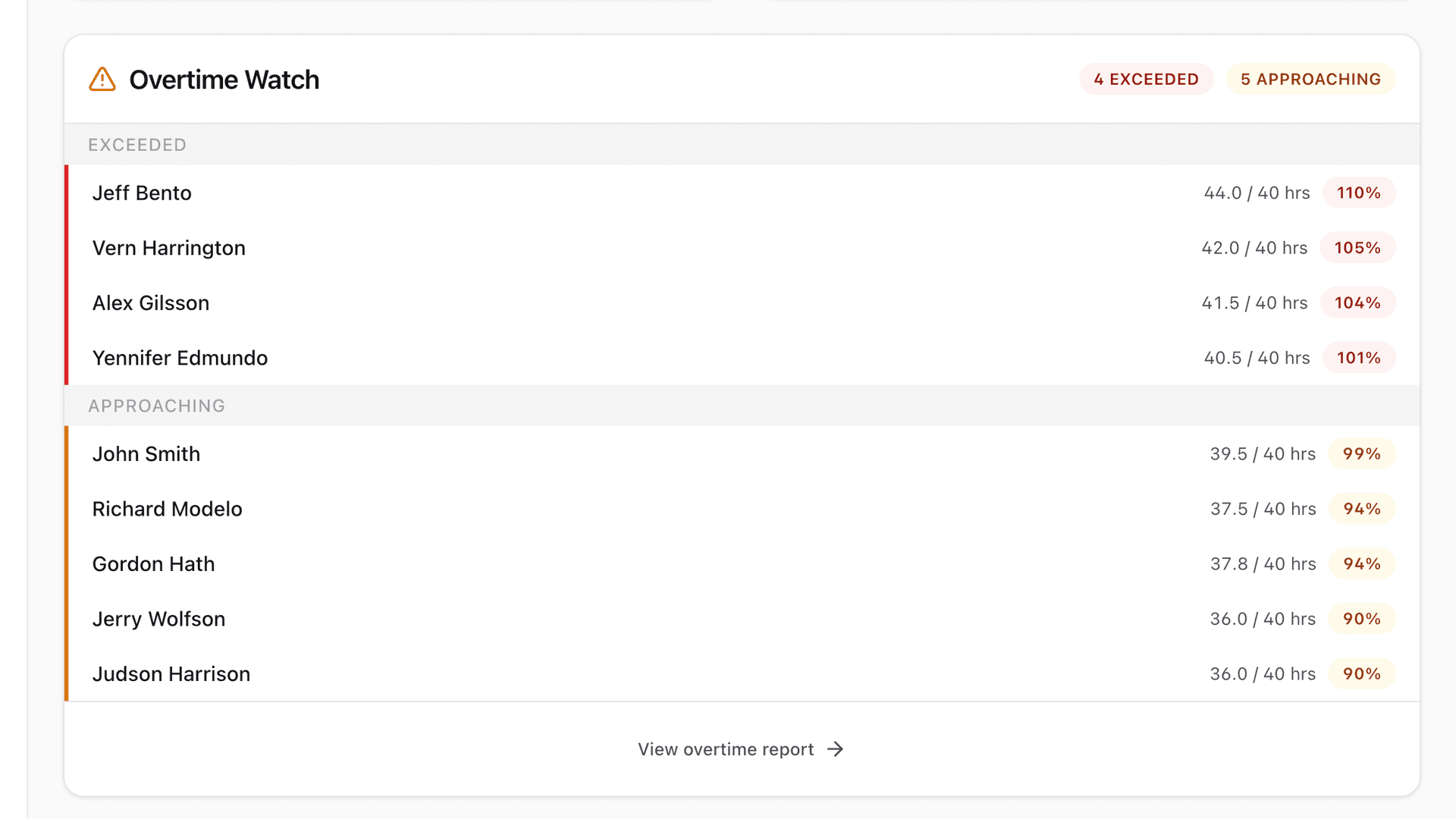
How StampShift fits Retail
The problem
Building and publishing schedules for a rotating part-time team is tedious.
Create shifts and recurring assignments, then publish the schedule so employees are notified of their hours.
The problem
Overtime sneaks up on you and blows the labor budget.
StampShift watches weekly hours and alerts managers before an employee crosses an overtime threshold — in time to adjust.
The problem
Seasonal hiring makes per-seat time-clock pricing unpredictable.
StampShift is flat-rate by tier, not per user. Hire for the holidays without your time-clock bill changing.
The problem
Exporting hours for payroll is a manual, error-prone chore.
Approve hours and export a provider-ready file for QuickBooks, Gusto, ADP, or Paychex in one click.
Features that matter most
Frequently asked questions
Does StampShift alert managers about overtime?
Yes. StampShift monitors weekly hours and sends in-app and email alerts when an employee approaches an overtime threshold, so you can adjust the schedule before it happens.
How does pricing work for a seasonal retail team?
StampShift is flat-rate by tier, not per employee. As long as you are under your tier’s cap, your bill stays the same whether you have 15 or 45 people on the schedule.
Can employees see their own schedules?
Yes. When you publish a schedule, employees are notified and can view their upcoming shifts in the app.
Ready to get your hours right?
Start a 14-day free trial. No surprise charges — flat-rate pricing from day one.
Start Your Free TrialStampShift for other industries